
Before you start
- You need an invitation from your teacher. You can’t sign up without one.
- The invitation arrives at the email you gave your teacher.
Create your password
- Open the email from SmartCookie saying your teacher has invited you to their student portal. If you can’t see it, check your spam folder.
- Click Create password. A page opens with your email already filled in.
- Check your Name. You can change it if your teacher spelled it wrong.
- Type a Password. It needs at least 8 characters, one lowercase letter, one uppercase letter and one number.
- Type it again in Confirm password.
- Click Create password. Done! You go straight into your portal.
Log in next time
- Open your teacher’s portal address. It looks like this:
https://laura-martin.smartcookieapp.com, with your teacher’s name. If you don’t have it, ask them. Bookmark it to log in quickly. - Under I’m a student, click Log in.
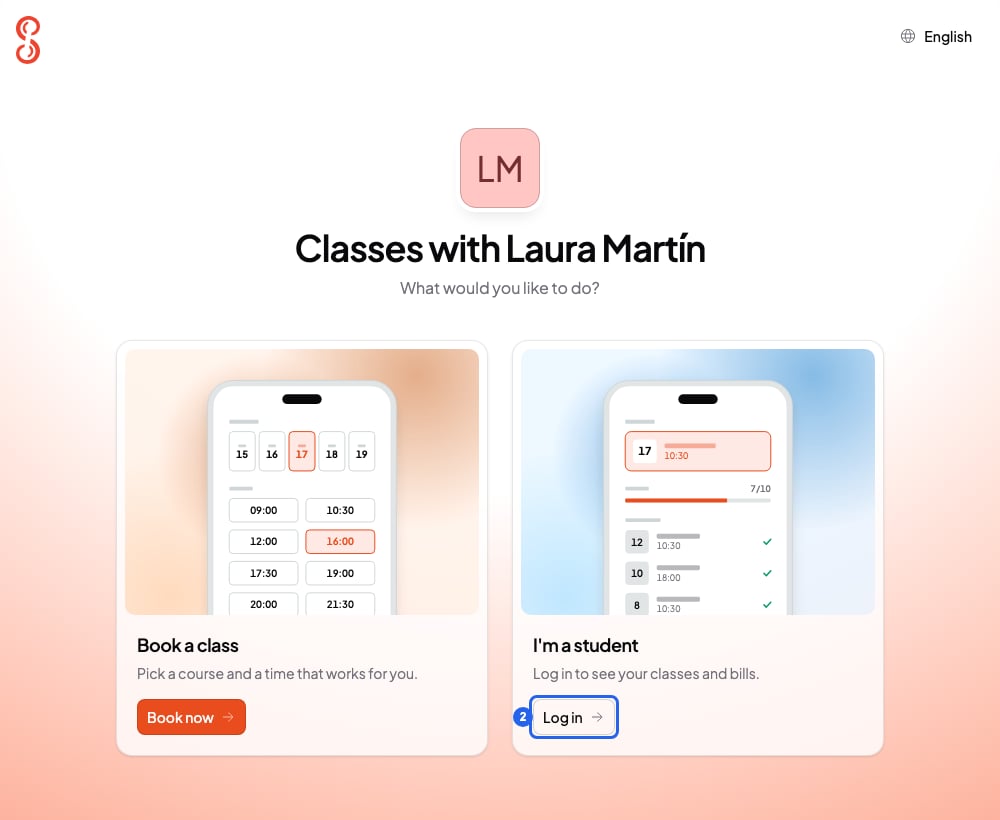
Your teacher's portal address
- Type your Email.
- Type your Password.
- Click Login. You’ll see your sessions for the week.
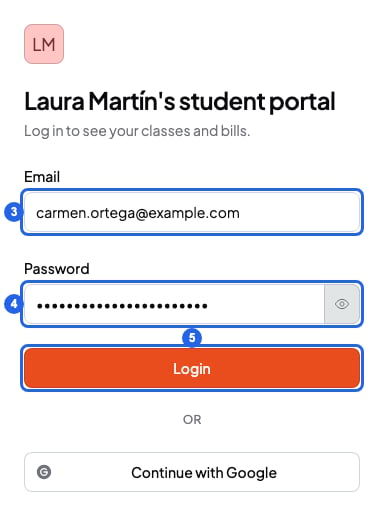
Log in to the student portal
/book at the end.
What you see in your portal
- Classes: your sessions for the week, your next session and your attendance. If the session is online, click Join on that session to join it.
- Your packs: how many sessions you have left and when they expire.
- Bills: your teacher’s payment requests and the button to view and pay them. More in Students: pay your teacher’s bill.
- The notes your teacher shares with you on your sessions. You don’t see your teacher’s private notes or quick notes.
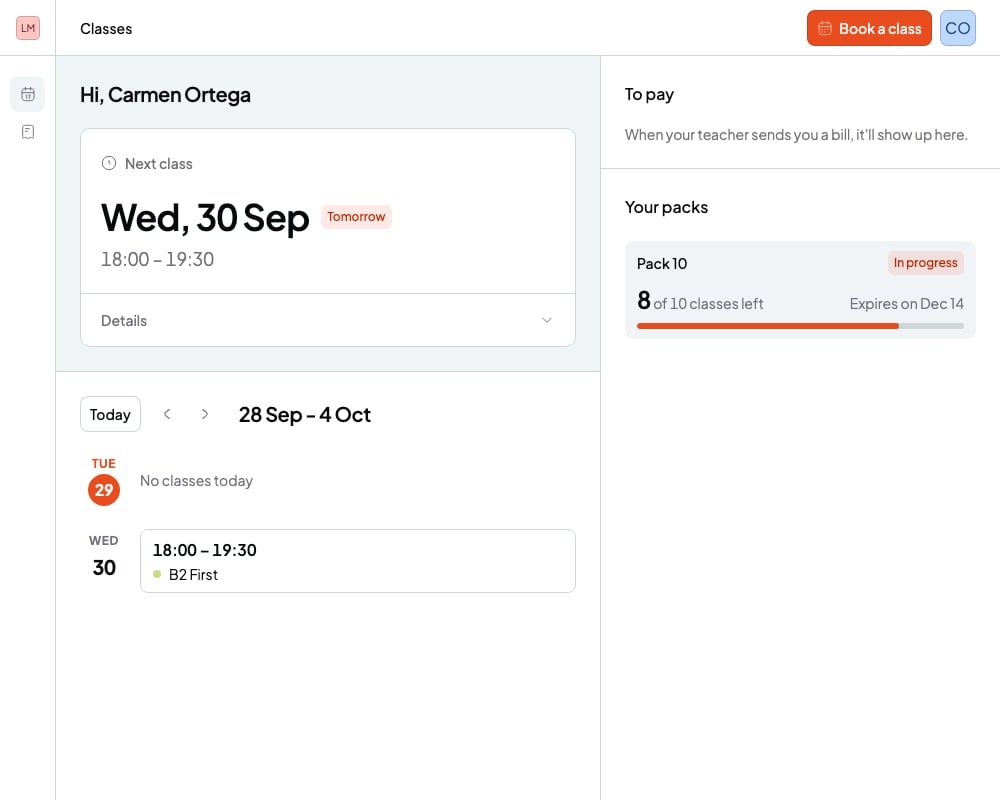
Your student portal
If you forgot your password
The portal has no option to reset your password. Ask your teacher to remove your access and invite you again. You’ll get a new email to create another password.What you can’t do
- You can’t log in without your teacher’s invitation.
- You can’t use an email that already has a SmartCookie account. For example, if you already use it for another teacher’s portal, or you’re a teacher on SmartCookie too. You’ll see “That email already belongs to a SmartCookie account”. Give your teacher another email.
- You can’t change or cancel sessions from the portal. Use your booking confirmation email: Students: book, reschedule or cancel a session.
- If your teacher scheduled the session, you don’t have a confirmation email. Talk to your teacher to change or cancel it.